
Learn what scoping means and how the process occurs and present the key differences between scoping and editing in transcription.
Jun 25, 2026
Dictation vs Transcription: What's the Difference and Which Should You Use?
by Content Specialist—2 minute read
Contents
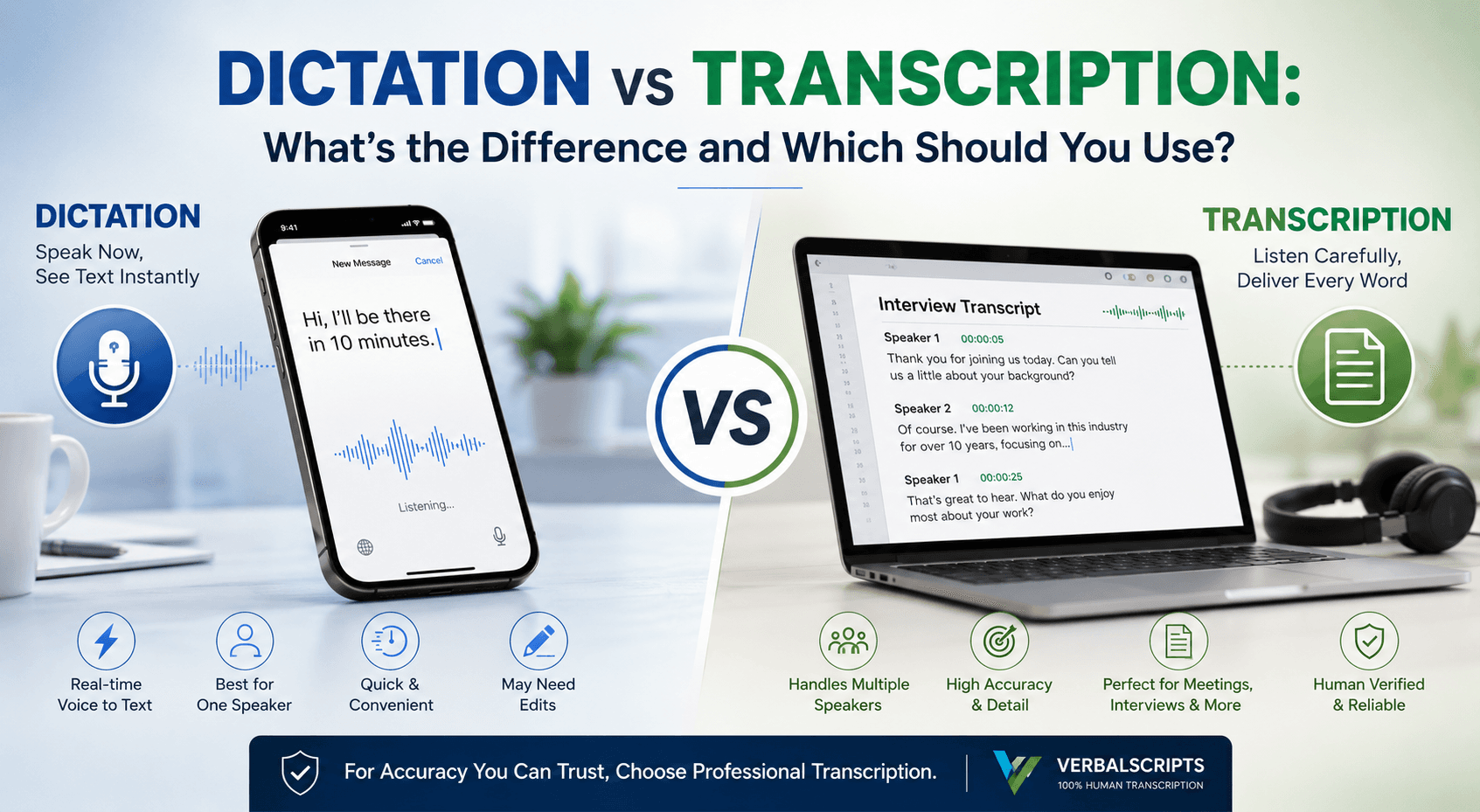
Ever found yourself talking into your phone to compose a message and then consider whether you should have just recorded the discussion and had it transcribed later? Now you might be confused, is dictation the same as transcription? In the argument of dictation vs transcription, both transform voice into text, but they serve really different purposes. Choosing the best tool for your requirements depends on knowledge of these differences. Many people even interchange these terms, yet every tool has its own advantages and perfect applications.
We will go over what dictation and transcription actually imply, how they vary, and which is appropriate for various activities. For most professional requirements, human-powered transcription services like Verbalscripts have the edge. Now let's explore why.
Definition of Dictation.
Dictation is a handy tool for writing by speaking. It is what occurs when your words are automatically shown on the screen as you speak into your phone or computer. Consider it like having a virtual assistant that converts your ideas into text in real time. Built-in dictation capabilities are available on many cellphones, tablets, and computers. On iPhone or Android, for instance, you can just speak your message out loud by tapping a keyboard microphone icon. Your spoken sentences convert into written text in seconds.
For one-person communication, dictation is most helpful. Dictation is your friend if you want to take notes, send a short message, or compose an email and would rather speak than type. It is also much used in fields like medicine, law, and journalism, where dictating notes or memoranda might save time. Instead of typing notes, doctors, for example, sometimes speak patient data into a dictation program or recording device. Dictation provides a quick means to gather ideas on the spur in these situations.
Dictation systems are not flawless, though. It depends on speech recognition software, which can misunderstand words or have difficulty with accents, slang, or technical terminology. You may need to slow down or audibly declare punctuation out loud, such as in "comma" or "period", to get the output right. Sometimes the program misses homophones (such as "their" versus "there"). Dictation may be a massive time-saver for short, personal activities, but it usually calls for subsequent review and editing of the content.
Transcription is what?
On the other hand, transcription is the after-the-fact transformation of spoken words into written text. Consider a podcast episode, a taped corporate meeting, even a lecture film, or a recorded interview with several people. Software or transcription services will listen intently and type out everything said instead of trying to summarize by listening again. The output is a written document with every word (and often speaker labels, timestamps, and punctuation), therefore enabling easy reading or searching through.
Regarding transcription, precision and detail are paramount. Usually, the solution if you require an exact record—for legal testimony, academic research, or a significant business meeting—is transcription. To cite people precisely or convert spoken material into written articles, reporters, academics, and content producers frequently use transcripts. Many podcasters and YouTubers also include transcripts of their episodes to maximize exposure and boost search engine optimization. Unlike dictation, transcription sometimes calls for a human element. Verbalscripts and other expert transcription companies use competent transcribers who can notice nuances, identify speakers, and correctly format and grammar.
Though artificial intelligence and software solutions for transcription are available, they often need proofreading. While automated systems like speech-to-text engines might manage crisp audio well, they can stumble on specialized vocabulary, overlapping speech, or background noise. Humans are at their best here. Listening to the same sentence several times, understanding its context, and researching ambiguous terms can help someone to produce a nearly faultless transcription. Thus, while dictation occurs live, transcription comes afterward with the aim of producing a well-crafted, precise document from your audio or video recordings.
Main distinctions between transcription vs dictation.
As you speak, dictation occurs immediately, therefore generating text output right away. After recording, transcription is the act of someone (or something) listening to pre-recorded sound and then writing it out.
Speakers. Usually, just speaking into your device, dictation is the act of saying things to your electronic device. Built to differentiate who said what, transcription may manage several speakers, including interviews or meetings.
Accuracy and quality. Dictation uses software to estimate your words in real time; it can miss words or punctuation, particularly with bad audio or accents. Transcription—especially that done by people—finds every word and nuance. Verbalscripts and other services verify and proofread transcripts to provide almost perfect accuracy.
Dictation is ideal for brief personal notes, writing emails, or any hands-free writing where you speak instead of typing. Ideal for producing a comprehensive record of events like interview transcripts, meeting minutes, or captions for movies is transcription.
Dictated content usually calls for you to change the formatting and punctuation on your own. Complete with correct punctuation, paragraphs, and speaker labels, human transcription services produce a clean, formatted document.
Also bear in mind that while professional transcription is a paid service, dictation tools are typically free on your device (built in on most laptops and phones). Although you save hours of labor and get a considerably more dependable result, you still pay for the time and knowledge of actual people.
Which One Should You Choose?
Generally, between dictation vs transcription, transcription is the better option for any significant audio that needs to be converted into text. The following is a brief breakdown of when each technique is appropriate:
Select Transcription if you already have an audio or video recording requiring written documentation. Common for meetings, interviews, presentations, focus groups, podcasts, and webinars is this. Simply upload your file and receive back a polished transcript with all speakers precisely marked with a transcription service like Verbalscripts.
When you wish to create content by speaking live, pick Dictation. For instance, instead of writing, you could verbally record a brief email, memo, or reminder on your phone. On your phone or computer, dictation is ideal for quickly noting ideas or writing a message while you're on the go.
Select Transcription if accuracy is paramount. Human transcription is far more dependable than any automatic voice typing if you need a literal transcript for legal records, study, or publication. When you start with auto-transcription, a professional service (such as the experts at Verbalscripts) will edit and refine it almost to perfection.
Pick Dictation for fast draft convenience. Dictation can speed up the process if it's just your voice and a short note. Just be prepared to make a few corrections; dictated text can occasionally mess up homophones and punctuation.
Select transcription for long audio. A dictation system finds it nearly impossible to edit long recordings like hour-long lectures or extended interviews. Let a transcriber hear and record every word in these situations so you won't have to sift through the entire recording yourself.
Conclusion.
If accuracy and clarity matter, transcription is the way to go, especially with a devoted staff supporting it. Verbalscripts gives trustworthy transcripts made via a 100% human transcription method. Delivering a tidy, client-ready transcript free of any hand pain, our experienced transcribers detect every punctuation mark and word.
Dictation vs transcription is therefore not a binary choice; instead, they are just tools for several purposes. For fast notes and on-the-fly voice writing, dictation is ideal. Transcription is the solution you need for precise text recording of recorded speech. Should you ever have an audio or video file to translate, professional transcription (like what we do at Verbalscripts) should be your preferred option. It guarantees correctness that most voice-typing systems cannot equal, while also saving you time.

Learn why confidentiality and data security is important in transcription and how Verbalscripts maintains confidentiality in transcription.

Why same-day Legal Transcription services are important and companies that offer same-day delivery: By Verbascripts Transcription

Learn how to turn rough deposition drafts into flawless, court-ready legal transcripts with Verbalscripts’ expert services.
Subscribe to our newsletter.
Get latest updates for our Articles & Blogs. We post fresh content every week.
- Weekly articles
- Stay updated with our weekly articles covering various topics.
- No spam
- We respect your inbox. No spam, just valuable content.

Legal TranscriptionAudio and Video Transcription servicesGeneral TranscriptionFocus groups and InterviewsMedical TranscriptionAcademic & Conference Transcription
Court reporting & LegalCorporate & general businessMedia productionDigital & online learningGovernmentHealthcare
About UsBlogsLocationsFrequently Asked QuestionsPrivacy PolicyTerms of Service
Sign up for our monthly newsletter
© Verbalscripts 2026. All rights reserved.