
Learn about Free Audio to Text Transcription and Best Tools for Quick and Easy Conversion
Mar 22, 2026
Transcription Formats: Transcript File Types Explained
by Content Specialist—2 minute read
Contents
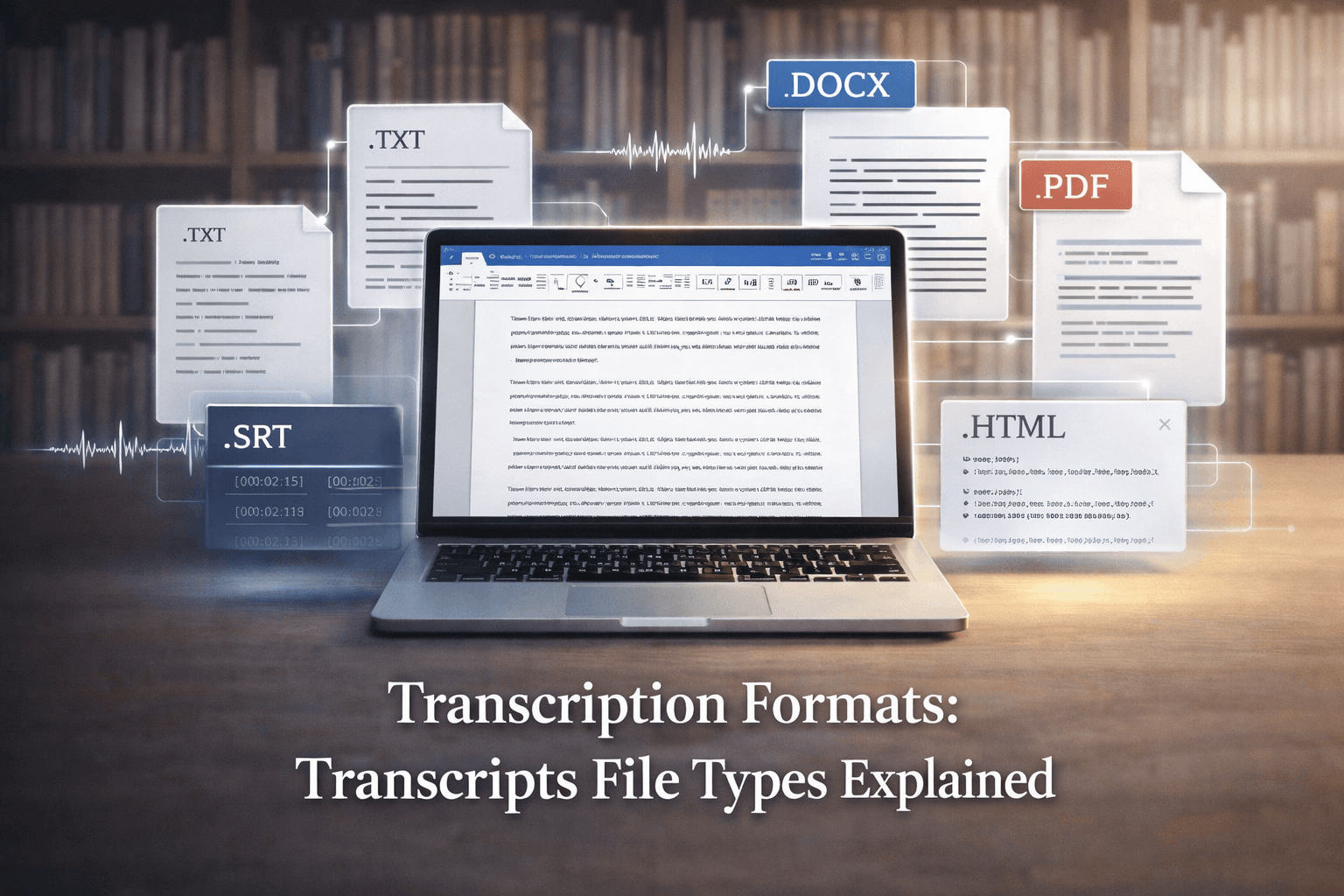
Knowing which file type to use for a transcript will greatly affect the procedure of transforming speech from audio or video recordings into written text. Deciding on the ideal transcription format depends on your preference or how you want to distribute or share that transcript, whether you have a taped interview, a lecture recording, or a company meeting audio. Every transcription format—like .txt, .docx, or .pdf—has advantages and limitations; thus, it's wise to know the distinctions. A student taking notes might want a basic text file for highlighting and editing, whereas a business might prefer a polished PDF for official records.
Verbalscripts understands how perplexed all the file formats might be. Once audio and video files are transcribed, the results could be a simple text document in several formats, such as a Word document, a PDF, or something else. Our goal is to keep this basic. This article will discuss the most commonly used transcription formats, along with their uses and how to select the best one for your needs. Read on, whether you are beginning with transcription or only need a refresher.
Normal Forms of Transcription Formats.
You will get a textual document back once your audio or video has been transcribed. The format of that document is your transcription format (the file type of the transcript). The right output format depends on how you plan to use the text. Here are the most popular ones:
● Plain Text (.txt). This is the simplest format. It's a basic text without any particular formatting. Practically any tool or text editor can open a .txt file. Quick transcripts and extensive editing or text analysis benefit most from it. The drawback is that it is just plain text content with no styling (no bold or italics) and no elegant design.
● Another very often used format for transcripts is Microsoft Word (.docx or .doc). It works with headings, bold, bullet points, among more. This makes it simple to organize the transcript, highlight sections, or add comments. Almost everyone can launch .docx on their computer; if necessary, Google Docs, Pages, or other editors are available. Because it's simple to share and change, we usually provide transcripts in Word format. Should you desire a locked-in version later, you can also export a Word document as a PDF.
● A PDF is a snapshot of your transcripts. It retains the same design and formatting, hence it always appears the same on every device. This is perfect for official copies, final editions, or anything you want the reader to read without modifications. Editing a PDF is more challenging; nevertheless, often you must edit in Word or another editor and then make a fresh PDF. PDF is sometimes the preferred option for legal transcripts, polished reports, or contracts.
● Rich Text Format (.rtf) is another transcription format. It preserves fundamental styling (such as bold, italics) and works with most word processors. Less frequent nowadays, but it can be helpful if you have older software that needs it. Consider it an older cousin of Word files. An .rtf file is a fallback option that retains some formatting if a .docx file cannot be opened. Though RTF is typically optional, most people today prefer Word or PDF, so it's there if you require it.
● A SubRip (.srt) file can be helpful if your project involves a video that requires captions or subtitles. This is a plain text file with a time code and the speech for each entry. Media players and video sites use SRT files to show captions. Selecting SRT as your transcription style will provide a time-coded transcript suitable for accessible or multilingual material that matches the video.
● Like SRT, VTT (WebVTT) is another video caption format. It also includes timestamps and can contain basic text styling. If you need HTML5 video captions or certain online platforms, utilize VTT. If you would rather have VTT transcripts for your movies, Verbalscripts can offer them.
● HTML (.html). An HTML transcript means the text is embedded in a web page format. This makes it easier for you to style the transcript using CSS or other web resources, should you want to show it on a website. Although HTML is not a typical form for basic projects, it might come in handy if you wish to share the transcript online immediately.
● Other systems: Though we concentrate on the primary ones listed above for daily transcription requirements, there are some specialized formats (CSV, JSON, XML) utilized in data or tech processes.
Each of these output options has its own perks, so the key is to match the format to your plan for the transcript.
Choosing the Right Output Format
Choose the ideal transcription format depending on what you will do with the transcript.
● If either you or a coworker is going to edit or search the text, utilize an editable format such as Word (.docx) or plain text (.txt). PDF is preferable if it's a final copy intended only for viewing (for printing or official records), as it cannot be easily modified.
● Word documents and text files may be readily shared and permit comments, highlights, or modifications via teamwork. Polished PDFs guarantee everyone views the same format. Consider who will read the transcript and which device they will use to open it.
● Formats needed. Do you need tables, bullet lists, or headlines in your transcript? Should this be the case, a Word or RTF file can manage it. Plain text could be all you require if you only want a simple line-by-line script.
● If the transcript is for video captions, you would want a timed format, such as SRT or VTT. These types provide timestamps to align every line of text with the relevant video or audio time.
● The standard option. Uncertainties call for a safe fallback: .docx (Word). Most individuals and programs accept it, and it may be changed or saved as a PDF.
Considering the ways you will employ the last text will help you to determine the appropriate transcription format for your work.
Verbalscripts: 100 % Human Transcription Services
Now, let's discuss how Verbalscripts might assist in all this. We are a group of skilled human transcriptionists who manage both facets of the process:
● Our transcriptionists can collaborate on anything, whether your file is an MP3, WAV, MP4, or anything else. You only load your audio or video; we handle the rest. No need to worry about converting your file first.
● Tell us what format you require—for instance, "Word document" or "PDF and SRT" upon your order. We'll present the final transcript precisely in the aforementioned transcription style. Want a .docx? A .txt? No difficulty. Time-coded .srt? If that's beneficial, you can even request more than one format (such as providing both a PDF and a Word document).
● 100% human transcribers. Every transcript is transcribed by a competent human, not an automated machine. Our transcribers notice subtleties, intonation, and context that computers frequently miss. To guarantee the greatest accuracy, we employ a careful four-step technique: transcription, review, proofreading, and formatting. Our clients rely on us for transcripts with 99%+ accuracy, even for difficult recordings.
● Swift turnaround and accuracy. Both speed and excellence define us. Most orders allow us to provide a full transcript in a day or as fast as you require, without compromising accuracy. Every transcript is meticulously read to make sure nothing is overlooked, even on quick work.
● Support and security. We know your recordings could be sensitive or confidential. Every member of our staff adheres to safe data practices and signs tight NDAs. Additionally, we adhere to industry best practices, including HIPAA, for legal or medical material. Our support staff is also here to assist in addressing any inquiries concerning patterns, timelines, or whatever else.
Verbalscripts offers a full-service transcription partner: pick the transcription format and upload your file; we will come back with a polished transcript.
Finally
Choosing the right transcription format helps you to maximize your transcript. Knowing every possibility, a basic TXT, an editable Word DOCX, a locked-in PDF, or caption files such as SRT/VTT helps you acquire precisely what you require.
Verbalscripts is dedicated to simplifying transcription. Your audio or video is heard by our 100% human transcription service, which then provides correct transcripts in the style you choose. If you have recordings prepared to be transformed into text, we will manage the remainder after you tell us which file type you want.
We hope this article clarifies the transcription format landscape. Feel free to contact us if you have any queries on transcription formats or are ready to begin.
Knowing which file type to use for a transcript will greatly affect the procedure of transforming speech from audio or video recordings into written text. Deciding on the ideal transcription format depends on your preference or how you want to distribute or share that transcript, whether you have a taped interview, a lecture recording, or a company meeting audio. Every transcription format—like .txt, .docx, or .pdf—has advantages and limitations; thus, it's wise to know the distinctions. A student taking notes might want a basic text file for highlighting and editing, whereas a business might prefer a polished PDF for official records.
Verbalscripts understands how perplexed all the file formats might be. Once audio and video files are transcribed, the results could be a simple text document in several formats, such as a Word document, a PDF, or something else. Our goal is to keep this basic. This article will discuss the most commonly used transcription formats, along with their uses and how to select the best one for your needs. Read on, whether you are beginning with transcription or only need a refresher.
Normal Forms of Transcription Formats.
You will get a textual document back once your audio or video has been transcribed. The format of that document is your transcription format (the file type of the transcript). The right output format depends on how you plan to use the text. Here are the most popular ones:
● Plain Text (.txt). This is the simplest format. It's a basic text without any particular formatting. Practically any tool or text editor can open a .txt file. Quick transcripts and extensive editing or text analysis benefit most from it. The drawback is that it is just plain text content with no styling (no bold or italics) and no elegant design.
● Another very often used format for transcripts is Microsoft Word (.docx or .doc). It works with headings, bold, bullet points, among more. This makes it simple to organize the transcript, highlight sections, or add comments. Almost everyone can launch .docx on their computer; if necessary, Google Docs, Pages, or other editors are available. Because it's simple to share and change, we usually provide transcripts in Word format. Should you desire a locked-in version later, you can also export a Word document as a PDF.
● A PDF is a snapshot of your transcripts. It retains the same design and formatting, hence it always appears the same on every device. This is perfect for official copies, final editions, or anything you want the reader to read without modifications. Editing a PDF is more challenging; nevertheless, often you must edit in Word or another editor and then make a fresh PDF. PDF is sometimes the preferred option for legal transcripts, polished reports, or contracts.
● Rich Text Format (.rtf) is another transcription format. It preserves fundamental styling (such as bold, italics) and works with most word processors. Less frequent nowadays, but it can be helpful if you have older software that needs it. Consider it an older cousin of Word files. An .rtf file is a fallback option that retains some formatting if a .docx file cannot be opened. Though RTF is typically optional, most people today prefer Word or PDF, so it's there if you require it.
● A SubRip (.srt) file can be helpful if your project involves a video that requires captions or subtitles. This is a plain text file with a time code and the speech for each entry. Media players and video sites use SRT files to show captions. Selecting SRT as your transcription style will provide a time-coded transcript suitable for accessible or multilingual material that matches the video.
● Like SRT, VTT (WebVTT) is another video caption format. It also includes timestamps and can contain basic text styling. If you need HTML5 video captions or certain online platforms, utilize VTT. If you would rather have VTT transcripts for your movies, Verbalscripts can offer them.
● HTML (.html). An HTML transcript means the text is embedded in a web page format. This makes it easier for you to style the transcript using CSS or other web resources, should you want to show it on a website. Although HTML is not a typical form for basic projects, it might come in handy if you wish to share the transcript online immediately.
● Other systems: Though we concentrate on the primary ones listed above for daily transcription requirements, there are some specialized formats (CSV, JSON, XML) utilized in data or tech processes.
Each of these output options has its own perks, so the key is to match the format to your plan for the transcript.
Choosing the Right Output Format
Choose the ideal transcription format depending on what you will do with the transcript.
● If either you or a coworker is going to edit or search the text, utilize an editable format such as Word (.docx) or plain text (.txt). PDF is preferable if it's a final copy intended only for viewing (for printing or official records), as it cannot be easily modified.
● Word documents and text files may be readily shared and permit comments, highlights, or modifications via teamwork. Polished PDFs guarantee everyone views the same format. Consider who will read the transcript and which device they will use to open it.
● Formats needed. Do you need tables, bullet lists, or headlines in your transcript? Should this be the case, a Word or RTF file can manage it. Plain text could be all you require if you only want a simple line-by-line script.
● If the transcript is for video captions, you would want a timed format, such as SRT or VTT. These types provide timestamps to align every line of text with the relevant video or audio time.
● The standard option. Uncertainties call for a safe fallback: .docx (Word). Most individuals and programs accept it, and it may be changed or saved as a PDF.
Considering the ways you will employ the last text will help you to determine the appropriate transcription format for your work.
Verbalscripts: 100 % Human Transcription Services
Now, let's discuss how Verbalscripts might assist in all this. We are a group of skilled human transcriptionists who manage both facets of the process:
● Our transcriptionists can collaborate on anything, whether your file is an MP3, WAV, MP4, or anything else. You only load your audio or video; we handle the rest. No need to worry about converting your file first.
● Tell us what format you require—for instance, "Word document" or "PDF and SRT" upon your order. We'll present the final transcript precisely in the aforementioned transcription style. Want a .docx? A .txt? No difficulty. Time-coded .srt? If that's beneficial, you can even request more than one format (such as providing both a PDF and a Word document).
● 100% human transcribers. Every transcript is transcribed by a competent human, not an automated machine. Our transcribers notice subtleties, intonation, and context that computers frequently miss. To guarantee the greatest accuracy, we employ a careful four-step technique: transcription, review, proofreading, and formatting. Our clients rely on us for transcripts with 99%+ accuracy, even for difficult recordings.
● Swift turnaround and accuracy. Both speed and excellence define us. Most orders allow us to provide a full transcript in a day or as fast as you require, without compromising accuracy. Every transcript is meticulously read to make sure nothing is overlooked, even on quick work.
● Support and security. We know your recordings could be sensitive or confidential. Every member of our staff adheres to safe data practices and signs tight NDAs. Additionally, we adhere to industry best practices, including HIPAA, for legal or medical material. Our support staff is also here to assist in addressing any inquiries concerning patterns, timelines, or whatever else.
Verbalscripts offers a full-service transcription partner: pick the transcription format and upload your file; we will come back with a polished transcript.
Finally
Choosing the right transcription format helps you to maximize your transcript. Knowing every possibility, a basic TXT, an editable Word DOCX, a locked-in PDF, or caption files such as SRT/VTT helps you acquire precisely what you require.
Verbalscripts is dedicated to simplifying transcription. Your audio or video is heard by our 100% human transcription service, which then provides correct transcripts in the style you choose. If you have recordings prepared to be transformed into text, we will manage the remainder after you tell us which file type you want.
We hope this article clarifies the transcription format landscape. Feel free to contact us if you have any queries on transcription formats or are ready to begin.
Learn about Free Audio to Text Transcription and Best Tools for Quick and Easy Conversion
Subscribe to our newsletter.
Get latest updates for our Articles & Blogs. We post fresh content every week.
- Weekly articles
- Stay updated with our weekly articles covering various topics.
- No spam
- We respect your inbox. No spam, just valuable content.

Legal TranscriptionAudio and Video Transcription servicesGeneral TranscriptionFocus groups and InterviewsMedical TranscriptionAcademic & Conference Transcription
Court reporting & LegalCorporate & general businessMedia productionDigital & online learningGovernmentHealthcare
About UsBlogsLocationsFrequently Asked QuestionsPrivacy PolicyTerms of Service
Sign up for our monthly newsletter
© VerbalScripts 2024. All rights reserved.